Need For Speed: Most Wanted (2005) - Unlimited Nitro Mod

During my software development internship, all employees could use their first week of the year for a project of their choice. I created a mod for my favorite racing game!
Overview:
  • Made in first week of 2026
  • Software used: Game Engine, Visual Studio
Important Learnings:
  • Some assembly basics
  • Modding a game with no mod support
Working steps
Research on available mods
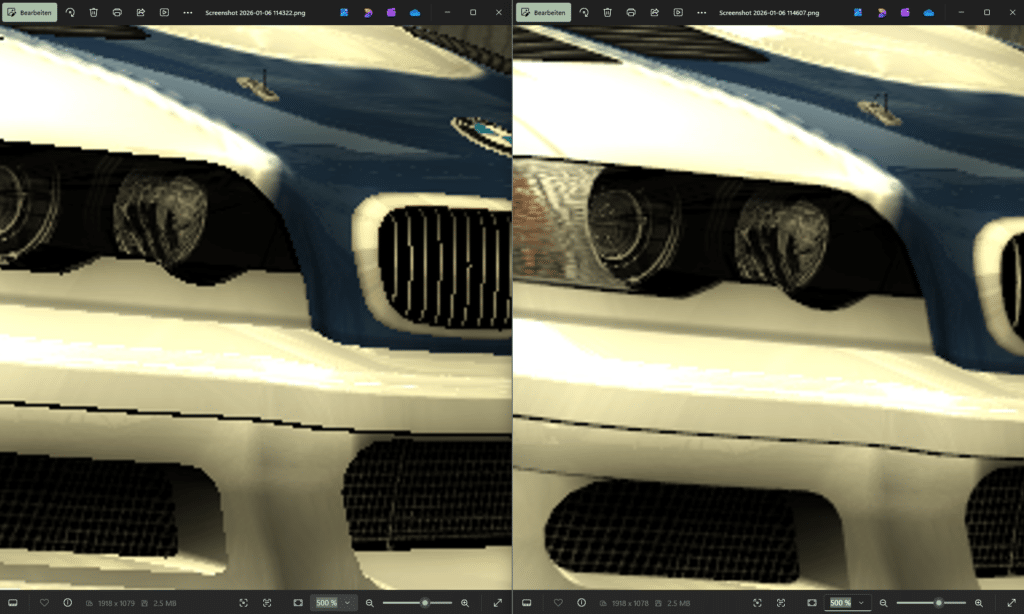
NFS:MW is not the newest game, so there are mods of all different kinds. Some make the game ready for current standarts (anti aliasing, widescreen, higher textures), while others bring new cars, cop-behaviour, night mode, hidden races, even online-multiplayer support and so much more.
After the research I had an overview of what is possible.
Deciding on a mod to create
Well, since I realized pretty quickly, that I had no idea about modding in general, I scraped my plan of adding an own car.
Something else I always wanted to have as a child playing was of course unlimited nitro! This should be doable in one week.
What do I need to create it?
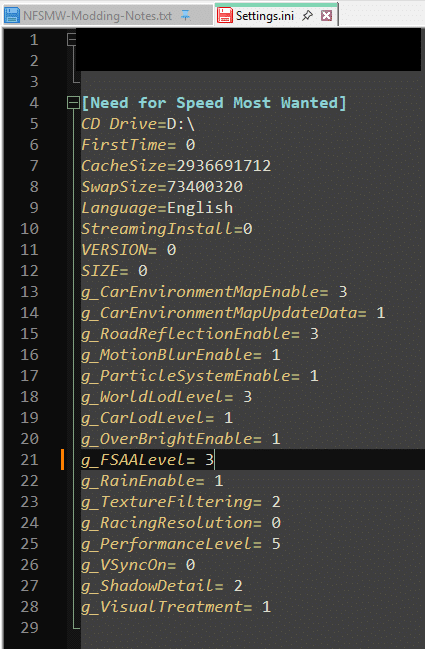
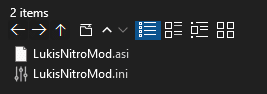
Looking at other mods, many of them exist of an .asi- and an .ini-file.
  • asi: Very simmilar to a DLL-file (dynamic link library). Here all the mod-logic resists.
  • ini: An initialization file that allows to adjust exposed mod-values (e.g. you could describe the width and height of your screen and the mod would use that info on start up)
Finding out how these .asi-files are loaded
The asi-files contain the mod-logic. But somehow, this logic must be part of the game to work. So how is the asi included when starting the game?
Smart people have made use of a security vulnerability inside the game, called DLL-hijacking.
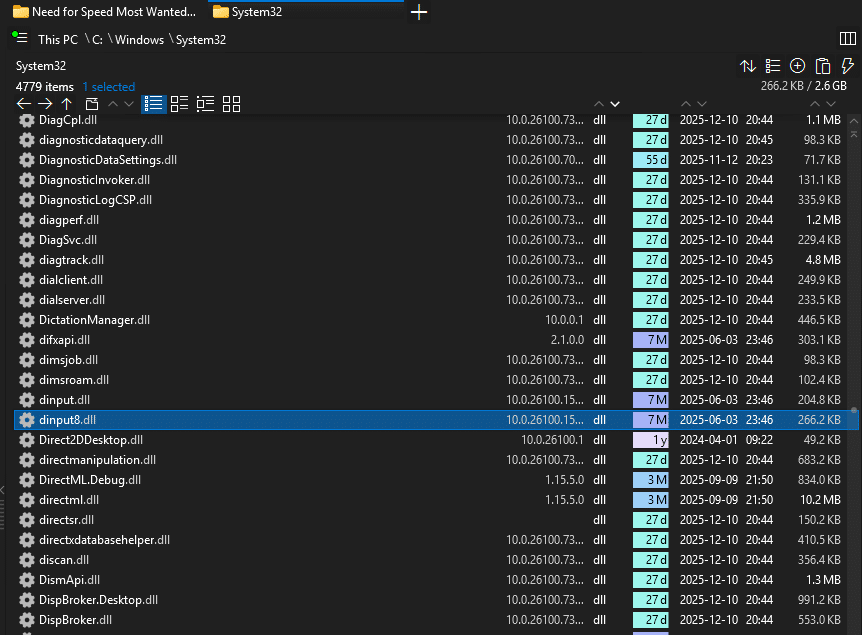
The game requires a dynamic library called dinput8.dll which is located in Windows/System32 by default. This dll is responsible for dealing with user input. 
When starting the game, it first searches this library in the installation directory, then it goes higher into System32. 
The smart people mocked this library. They imitated it and added further logic which loads the asi-files.
If the mocked dinput8.dll is copied into the installation directory, the game will use its behaviour instead of the original System32 version.
Finding the nitro memory address
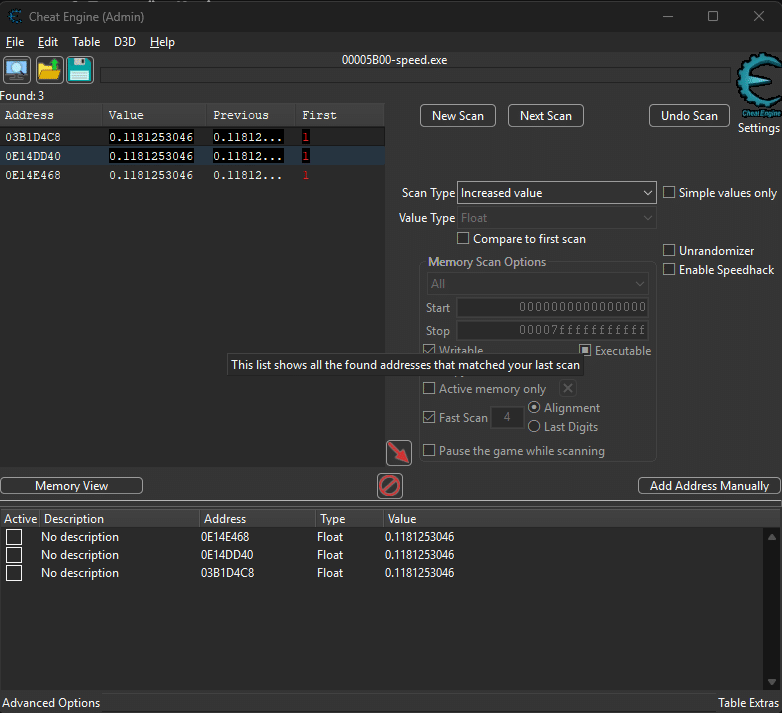
Somewhere in memory, when the vanilla game (without mods) is loaded and a race is started with a car that has nitro attached, there must be a place where the nitro-value is stored, probably as a float. 
And its fairly easy to find that address. With CheatEngine active you can find specific address-values by repetitively changing the value and filtering the results by just searching for e.g. increased values relative to the last results.
Doing this a lot of times in a row (by using nitro, filtering, using nitro again, filtering, receiving new nitro, filtering…) you eventually find the memory address which holds your current nitro! 
It’s a float between 0 and 1.
Unfortuanetly, this value exists three times at different addresses…
Finding the „master“ value
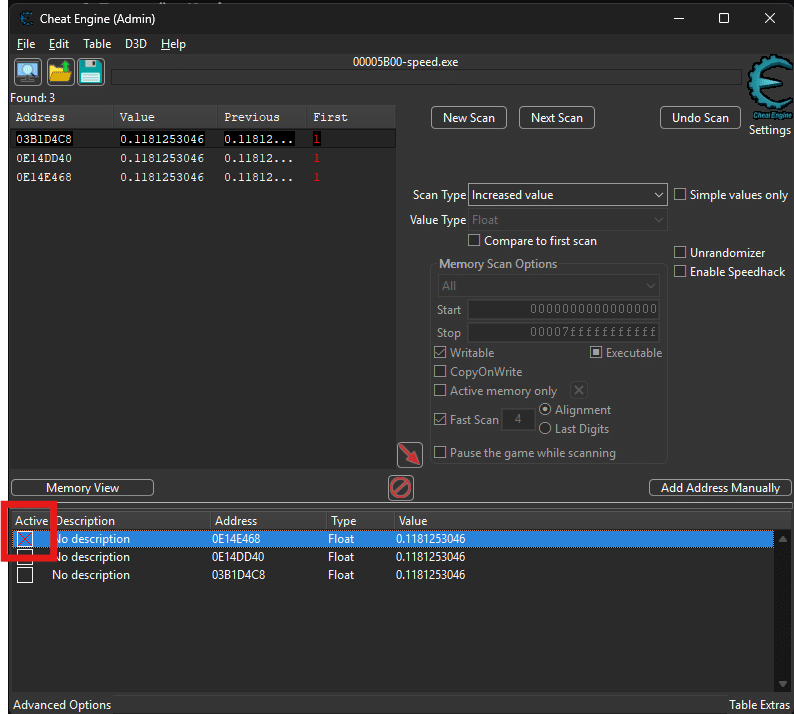
From now, it’s pretty sure that one value is the master value, while the others copy the information for whatever reason. Might be for example to display the value in the hud.
CheatEngine provides a nice way of finding it out. You can freeze single addresses so that their value can’t be written anymore!
First time, the game crashed immediatly, well, I had to restart and repeat all steps, hoping to find it now 😀 
And then, it worked! The master nitro address was frozen, and I had unlimited nitro ingame!
Understanding dynamic and static memory allocation
This was nice! But unfortuantelty, the memory address of the nitro-value is dynamically allocated whenever my car is loaded into a scene. This means, it will always be at a different memory location making it impossible to use this address-information for my mod!
But: The core logic of the game is just loaded once at game start. Part of that core logic is the function that is called when using nitro. This function then writes into the dynamic address. 
Since the core logic is just loaded once, its memory allocation is called to be static, meaning it will stay at the same address for the whole game session. 
If we can find the function that is called when pressing nitro, we might be able to manipulate that somehow…
Finding static nitro-function
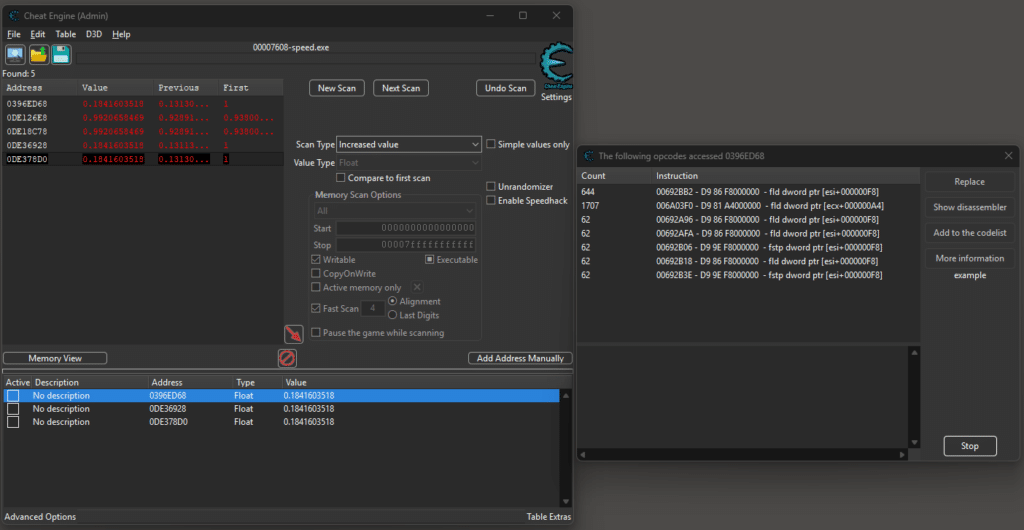
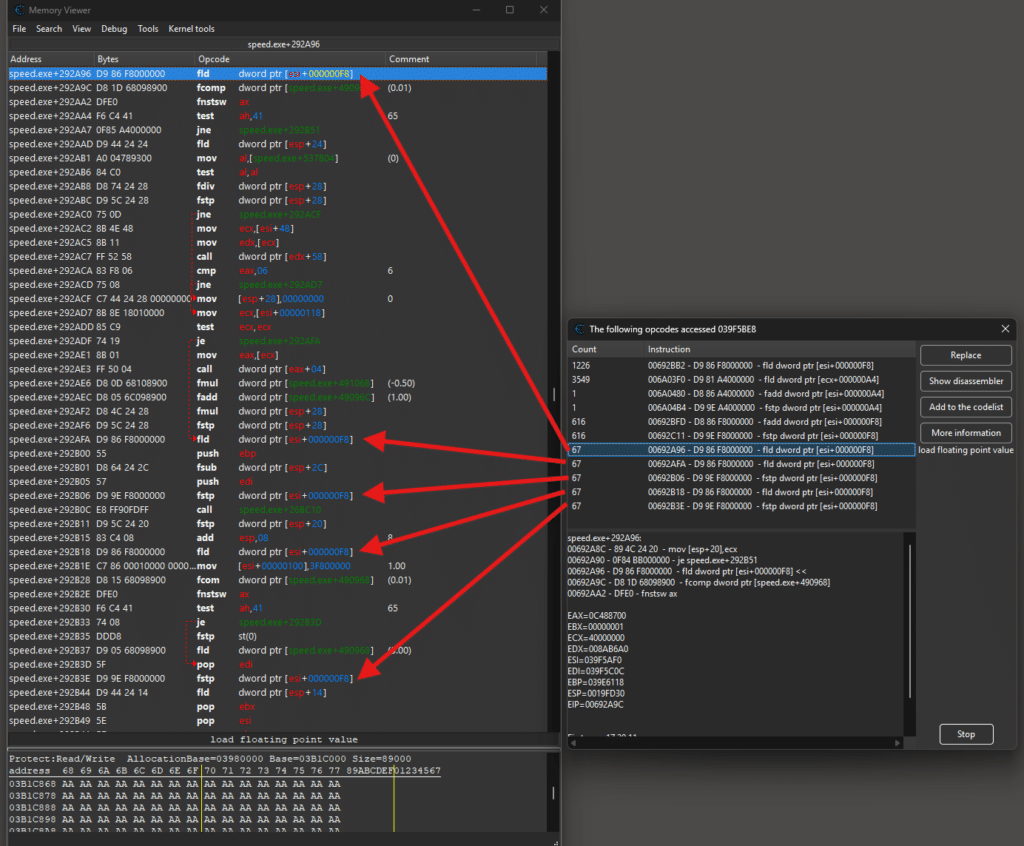
The CheatEngine is a very impressive tool. You can track which assembly-instruction is responsible for changes to a specific memory address value.
We just have to start listening and then activate nitro, and immediatly the accessors are shown in a list. 
Memory Viewer
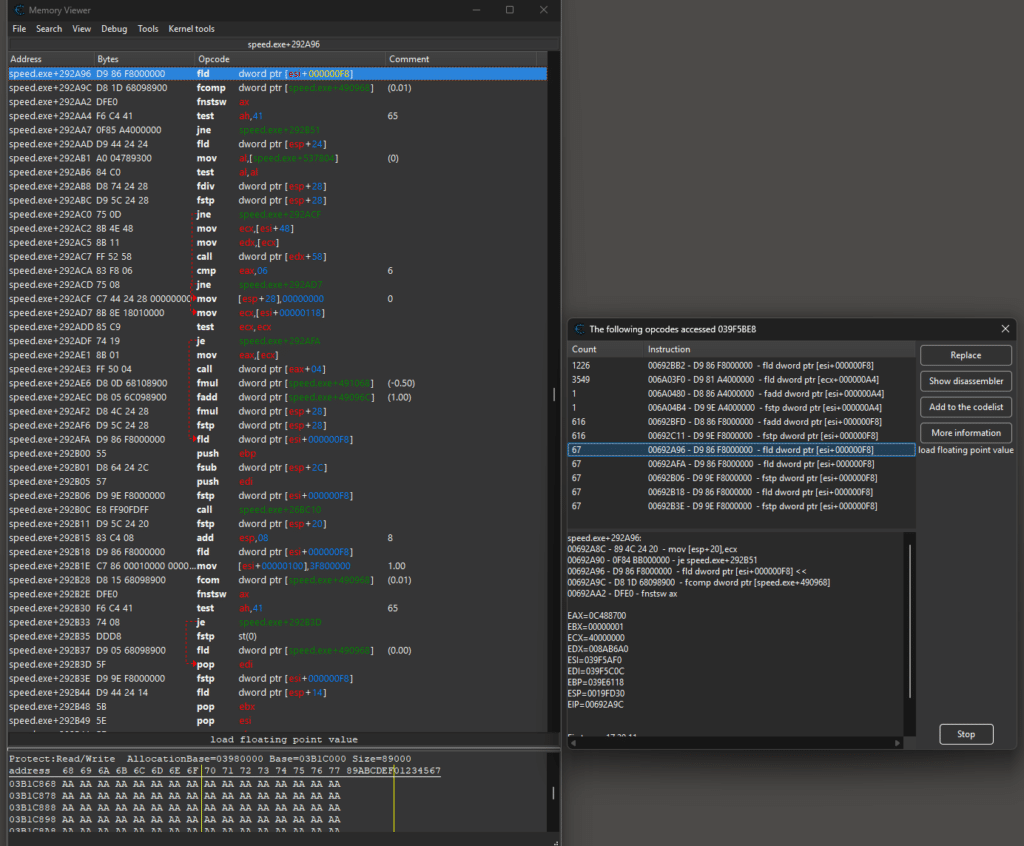
You even can see the instructions which happened right before and after the actual tracked instruction-calls, making it possible to understand what happens to memory on assembly stage!
Memory Viewer – Access overview
To make it easier to understand I marked the instructions which directly accessed the nitro-value. (I only marked for the accessors which came up when using nitro ingame)
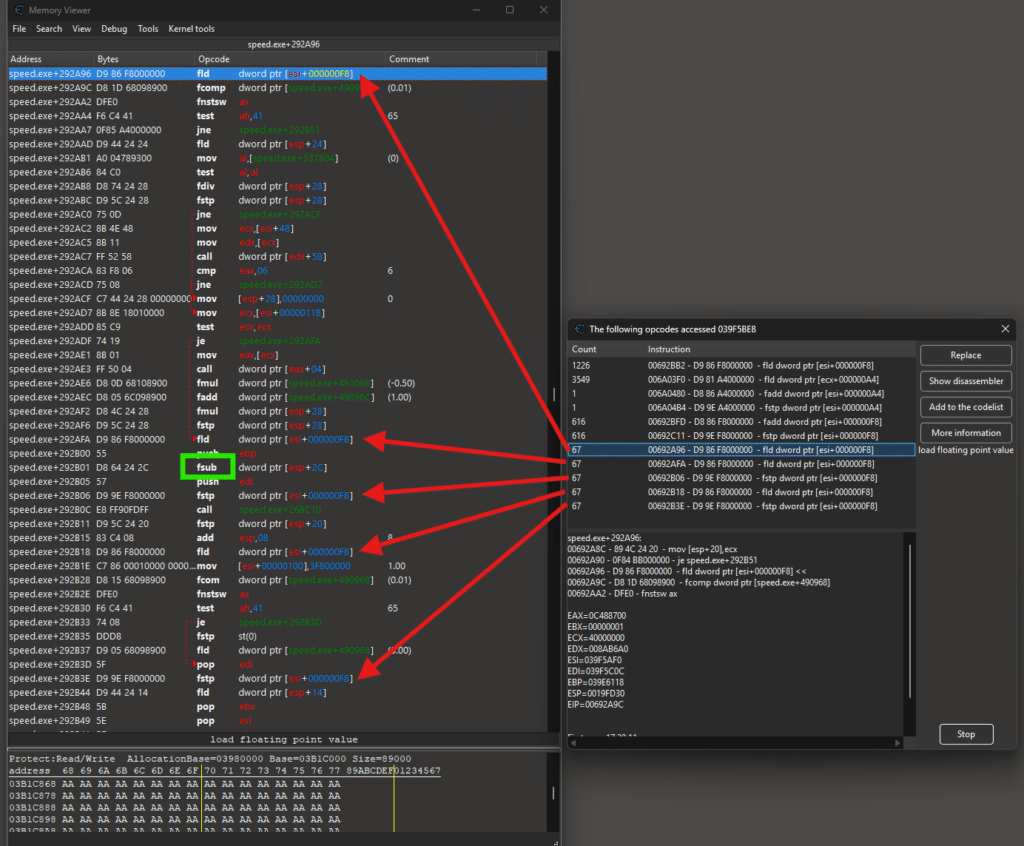
Memory Viewer – Finding subtraction instruction
We have one interesting „fsub“ (float subtraction) here, subtracting from the currently loaded value
(which is our nitro-value, see two instructions above. „fld“ stands for „float load“)
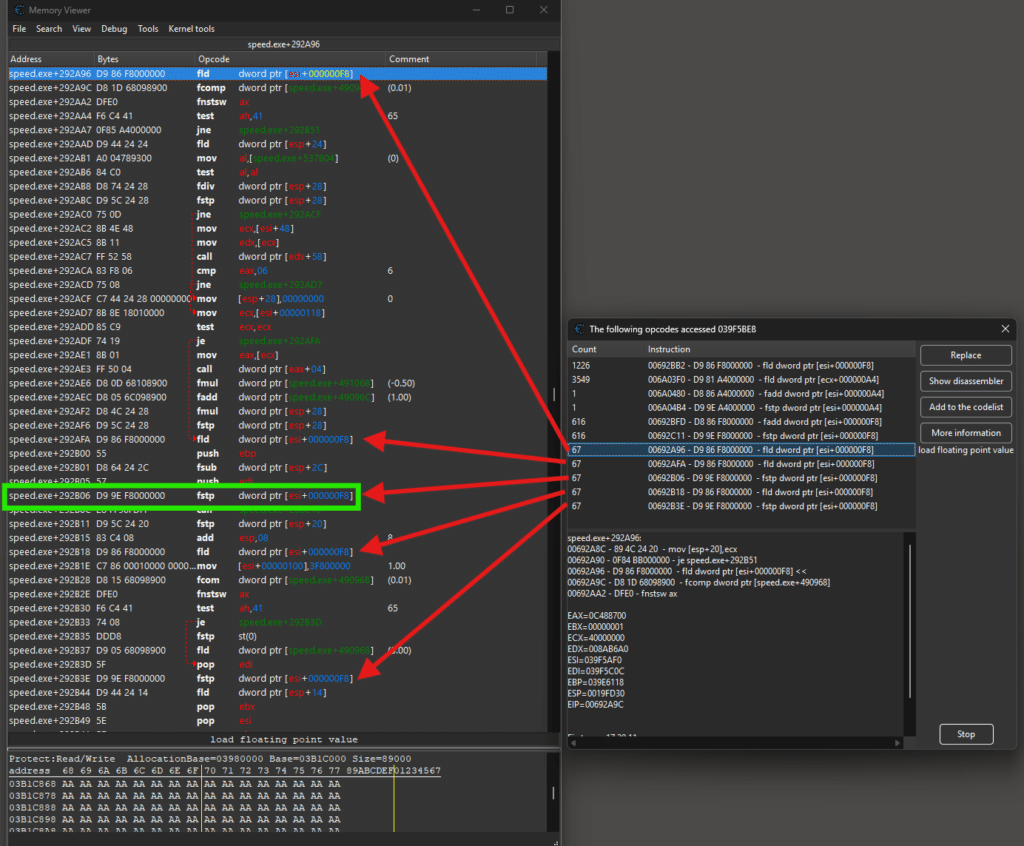
Memory Viewer – Our static address to manipulate
We could probably manipulate the subtraction to simply subtract zero, but I wanted to make sure everything works properly by directly manipulating the place where the actual nitro address is set.
The instruction „fstp“ stands for „float store and pop“ and it sets the subtracted value stored in a register into the nitro address. 
Having a look at the left of the green rectangle, we can see the static memory address which will allways be the same when restarting the game!
It is „speed.exe + 292B06“. This means, whereever speed.exe is loaded into memory, the address will be at an offset of 292B06 (hexadecimal)
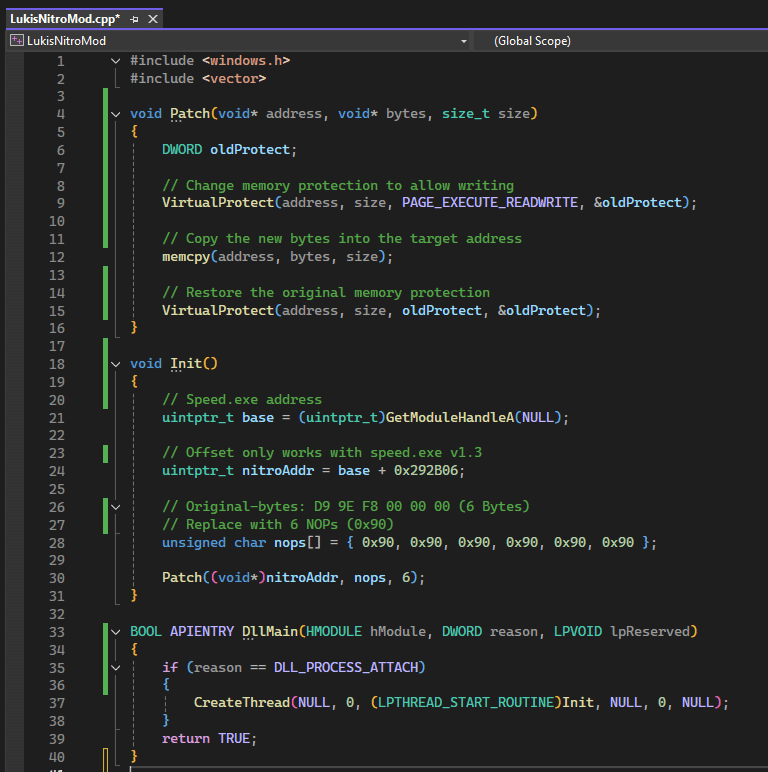
Manipulating the static allocated instruction at game start
As you remember, with DLL-hijacking we are able to load asi-files into the games memory. A huge benefit is, that those loaded files have the same rights like the vanilla game. They can manipulate the whole games memory.
Using this information, we create our own asi-file which then will manipulate the address „speed.exe + 292B06“ at game start to dont write the register-value anymore but do nothing instead. (using „NOPs“ or „Null Operators“)
[IMPORTANT: This script was generated by Gemini. It would have taken more than a week to figure this out on my own!]
The asi-file is simply a dll which we build through Visual Studio and then rename the file-extension from „.dll“ to „.asi“
Creating the .ini-file
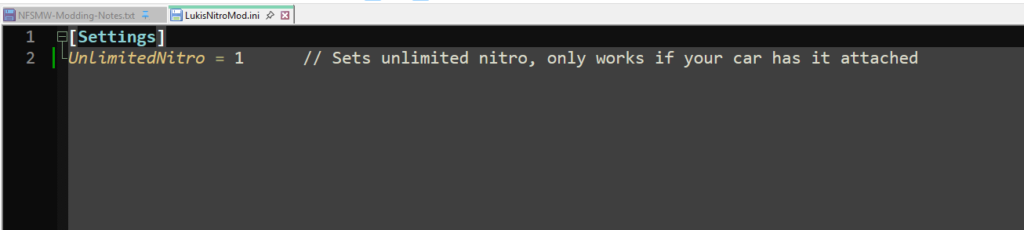
To make the mod complete, I implemented an .ini-file, which the mod-user can use to toggle the unlimited nitro before game start.
This is nothing more than a text file with a specific syntax.
Having both the .asi and the .ini in the same folder, it was not to complicated having the .asi read the current value in the .ini and react accordingly on initialization.
How to implement the mod
To make the mod work, a patched version of NFS:MW (2005) to v1.3 is required.
Then the former mentioned dinput8.dll has to be copied into the game installation folder.
Lastly, both .asi and .ini have to be put in a subfolder called „scripts“, which will be used by the asi-loader.
LSDesign
Datenschutz-Übersicht

Diese Website verwendet Cookies, damit wir dir die bestmögliche Benutzererfahrung bieten können. Cookie-Informationen werden in deinem Browser gespeichert und führen Funktionen aus, wie das Wiedererkennen von dir, wenn du auf unsere Website zurückkehrst, und hilft unserem Team zu verstehen, welche Abschnitte der Website für dich am interessantesten und nützlichsten sind.