This Article is based on the state off the 5th semester project submission (02.2025). Our team continues working on it in the 6th semester. There will be a new article in the future.
Our plans unfortuantly dont allow me to share code publicly, please contact me for that.
American Cooking Simulator
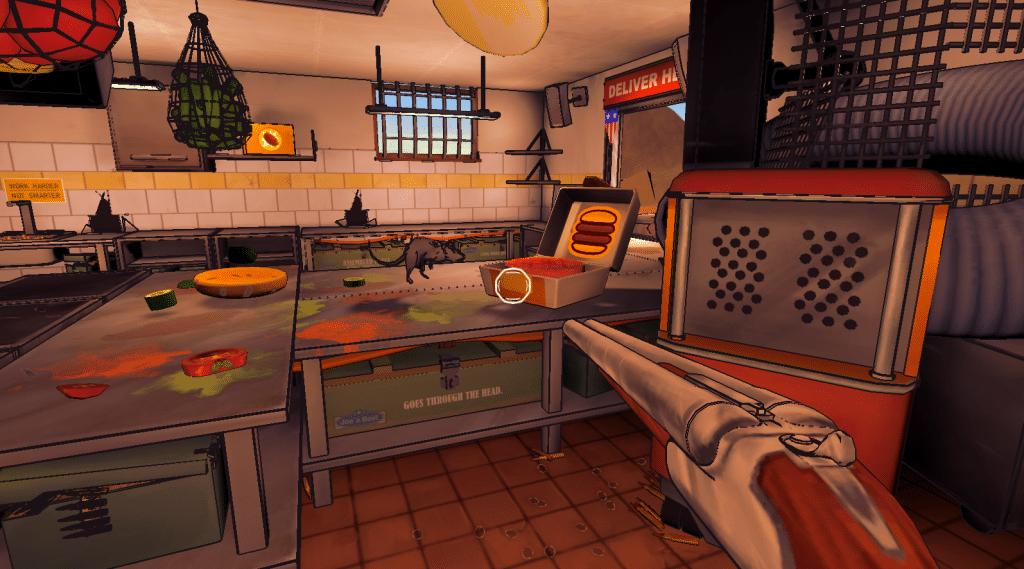
Cooking with guns! Shoot ingredients around the kitchen, get them on the stove, get them in the burger-boxes, deliver them. You are the employee in a American fast food chain! All ingredients are physics-based. The game was released on Steam and was well recived! I concentrated primarly on gameplay programming.
Overview:
5th semester team project
(10.2024 – 02.2025, will be extended into 6th semester)Role: main programmer (C#)
Engine: Unity
Important Learnings:
Planning most of code architecture beforehand
Content-driven systems
Inheritance hirarchies
Interfaces
Focus on S.O.L.I.D principles
First person player controller
AI NavMesh
Personal goals:
My personal goal for this project was to implement a code architecture from the beginning that is both easily extendable and maintainable. It was important to define how objects should be structured within the scene. Additionally, the architecture needed to embrace a high degree of decoupling between scripts. For every new aspect of the game, this architecture should be designed in such a way that it already provides a solution for integrating it seamlessly.
Code Architecture:
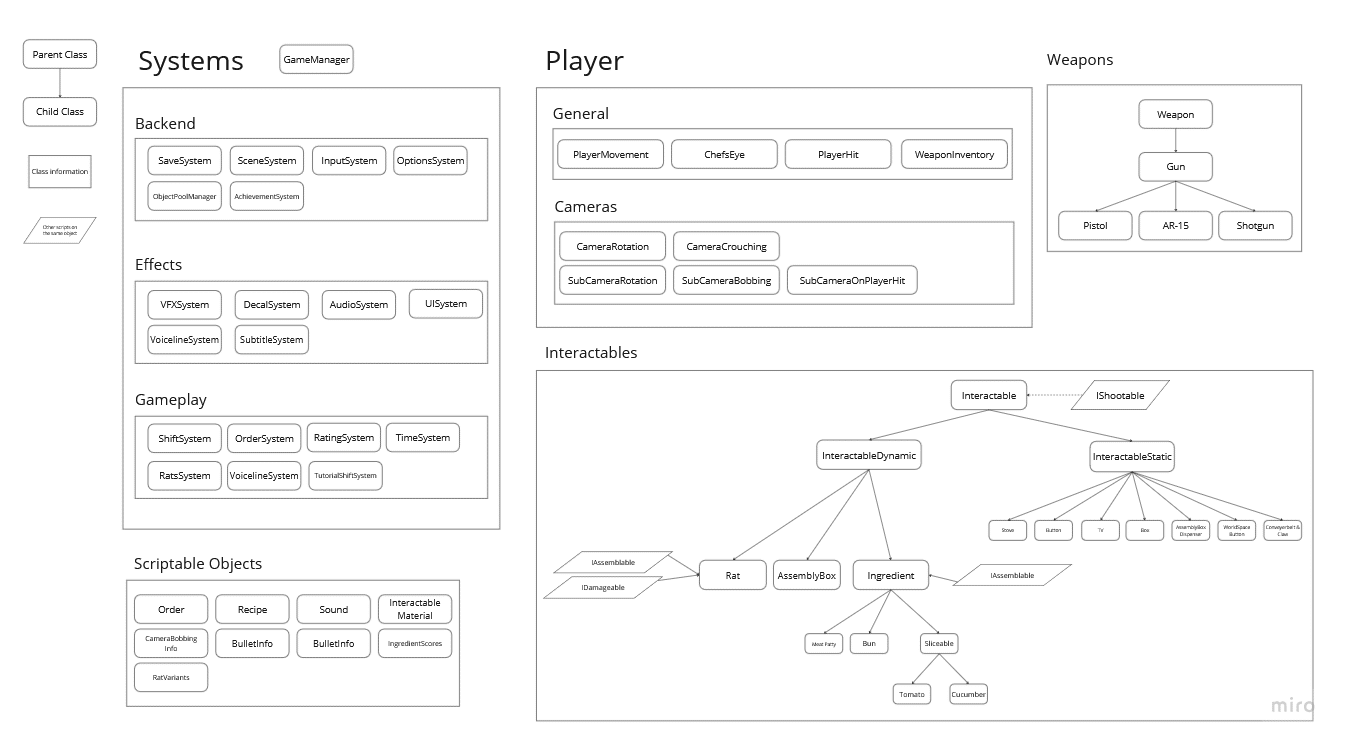
When we started working on the project, our team had already brainstormed the key features we wanted to include in the game. With this vision in mind, we were able to design a structure that includes the necessary components while still allowing future expansion. We also established strict guidelines for implementing new features.
GameManager
Almost every system in our game is accessed through a single GameManager Singleton. We wanted to avoid each system being a singleton on its own. The GameManager serves as the central hub, holding everything together. From any script, you can access the GameManager instance and request any system it contains, which made it easier to add new systems.
For example, the idea for the ChefsEye (a system to trigger slow motion) came later in the development process. To implement slow motion, we added a TimeSystem, which, according to our rules, is the only way any script can change the timescale (it was later also used by features like the in-game pause menu). The TimeSystem has its own set of rules, such as resetting the timescale on OnDisable(), ensuring that scene transitions are handled smoothly without worrying about transferring an incorrect timescale.
Systems that manage effects, like the AudioSystem and VFX System (written by Hakon), are exceptions to the non-singleton rule. This was done to allow easier access since they are frequently called in many different scripts without impacting gameplay.
					// everything at one place
TimeSystem timeSystem = GameManager.GetInstance().GetTimeSystem();
Decoupling scripts through events
Whenever possible I tried to use events instead of referencing. Scripts were way less complicated to manage through this approach. I was surprised about the reduced number of times I had to drag and drop references to the inspector.
Polymorphism
The architecture we established also incorporates a clear hierarchy of polymorphism. We set strict rules (we had a lot of them) to ensure that everything shootable is classified as an „Interactable“ (abstract class). Every Interactable can at least spawn decals.
We further distinguish between InteractableDynamics and InteractableStatics. This distinction allows us to differentiate between objects that move when shot (e.g., ingredients, burger boxes) and those that remain stationary (e.g., tables, walls). There is no exception to this rule. If we implement something into the game, it must fall into one of these two categories, or it can never be shot.
This approach ensures we always have a clear answer to any question that may arise. For example, every InteractableDynamic must be able to react appropriately if it is placed on the stove.
Interfaces
With interfaces, such as IAssemblable, we could determine whether an InteractableDynamic can be assembled in the burger box or not.
ScriptableObjects
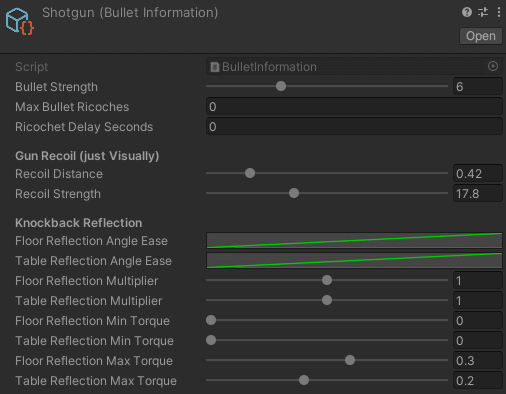
We used numerous ScriptableObjects to store repetitive data, such as different camera bobbing values during different walktypes, the setup and meta-data of recipes, and weapon-behaviour.
Clean Workflows!
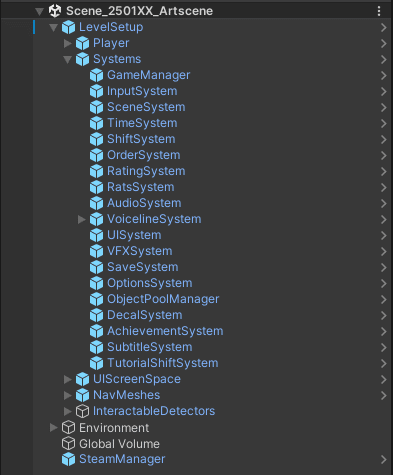
I strongly emphasized the importance of maintaining a clean project structure, particularly when it came to importing assets, naming conventions, and organization. In my opinion, this is one of the key reasons why we were able to produce as much as we did.
Now, as I write this, I realize just how helpful that approach was. Even when you haven’t worked on the project for a while, a well-thought-out folder structure allows you to quickly find what you’re looking for.
Systems:
ShiftSystem
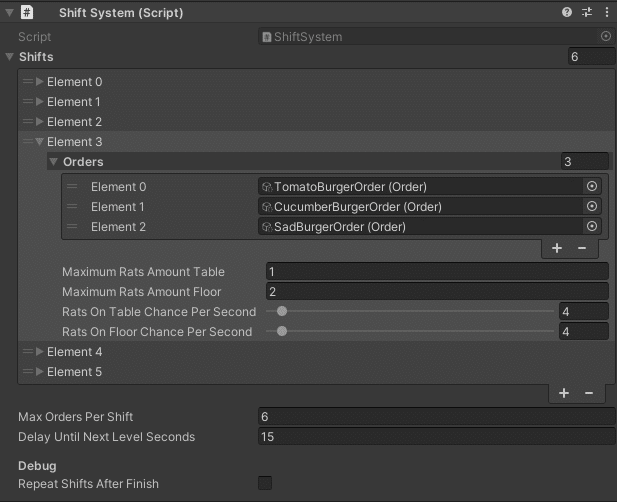
To make the implementation of new ingredients easier for the game designers, the level progression setup is kept straightforward. The ShiftSystem holds a list of all the shifts (levels). Each shift contains several orders and other game-progression-related data, such as the spawn rates of rats.
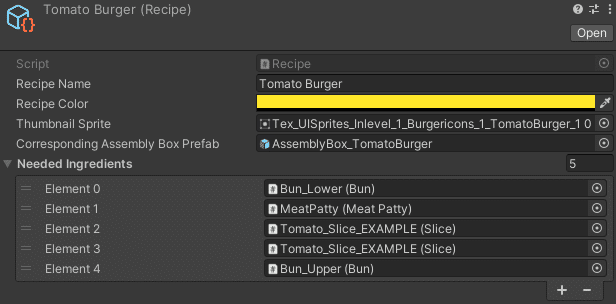
An order is made by a single customer and consists of multiple recipes, which in turn are made up of ingredients. Orders are simply ScriptableObjects containing a list of recipes, and recipes are ScriptableObjects containing a list of ingredients along with some meta-data.
For example, if a game designer wants to add a new recipe to a shift, they only need to:
Create a new ScriptableObject for the recipe, including its name, meta-data, and the required ingredients.
Create a new ScriptableObject for the order and add the recipe to it.
Add the new order to the appropriate shift in the ShiftSystem list.
Once all orders for a shift are completed, the rating is provided, and the next shift begins.
SaveSystem
The SaveSystem stores various settings, such as audio volumes, „hold to crouch“ preferences, game progression, the current level (for continuing), shift ratings, and more. This allows players to pick up where they left off and provides convenience by saving settings according to their preferences.
The SaveSystem stores these values in a JSON file. It’s also extendable, meaning that if more shifts are added in the future, the system can accommodate additional shift ratings by expanding the saved data with each new shift completed.
VoicelineSystem
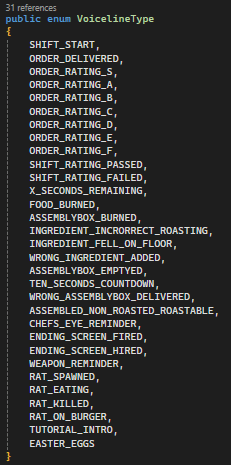
The VoicelineSystem is an extension of our AudioSystem. We have a wide variety of voice lines for the kitchen boss, Joe Hannes, which must be triggered at the right moments. Some voice lines are more important and will cancel any currently playing lines, while others are more flexible, allowing Joe Hannes to comment on the player’s actions.
To avoid constant chatter, we implemented a cooldown system, ensuring Joe doesn’t talk to the player too frequently. There are more than 20 distinct events for these voice lines, with at least three different versions for each, keeping things fresh and preventing repetition.
Examples of events include a rating, when the player shoots food to the ground, delivers the wrong burger box, or receives reminders if the order time is running out.
The system is designed to make it easy to add new voice lines: simply add the lines and specify where they should be triggered in the code. This flexibility not only enhances gameplay but also adds a lot of fun.
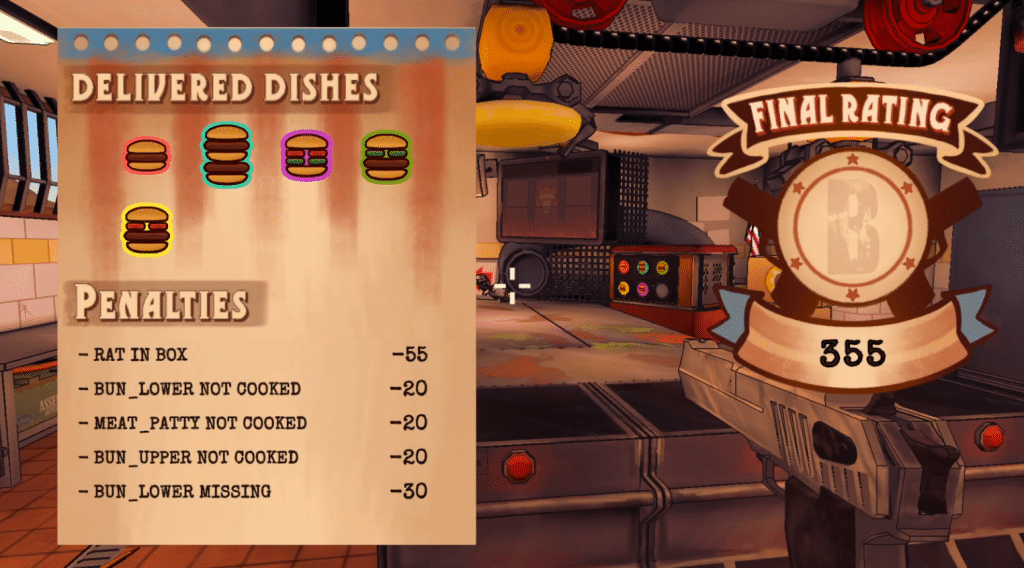
RatingSystem
The RatingSystem consists of two parts:
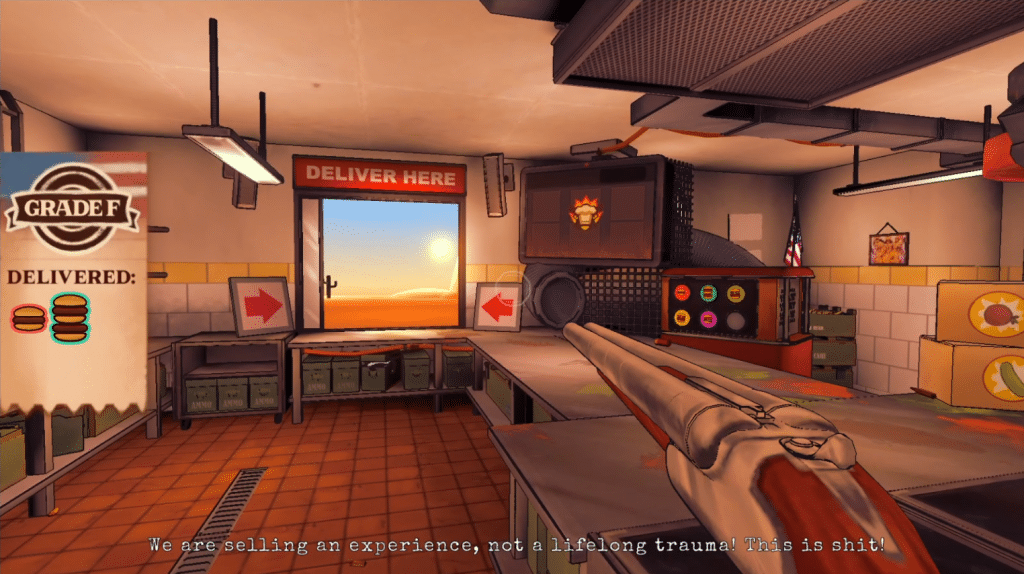
Order Rating: This is a small rating displayed on the left side of the screen, showing the player how the current completed order is rated.
Shift Rating: This is the final rating shown at the end of the shift. It summarizes all the mistakes made throughout the shift, calculates the penalty values for each mistake, and deducts them from the maximum achievable score (combined from all orders).
At the end of the shift, the final grade is displayed. If the player receives an „F“ grade and has not yet unlocked the next shift, they must replay the current shift. If they pass, they can continue to the next shift.
The final grade is determined by collecting each order rating and the penalties for each order (the shift rating is essentially a summary of all the individual ratings).
There are several possible penalties that need to be well thought out, including:
Missing ingredients
Roastable ingredients not roasted
Burger box left open
Late delivery
Ingredients bitten by rats
And more…
If the shift is successfully completed, the SaveGame progression is updated, unlocking the next shift.

RatSystem
During the Global Game Jam 2025 weekend I used the time to add rats to the game, as we felt like the kitchen could benefit from some more chaotic movement.
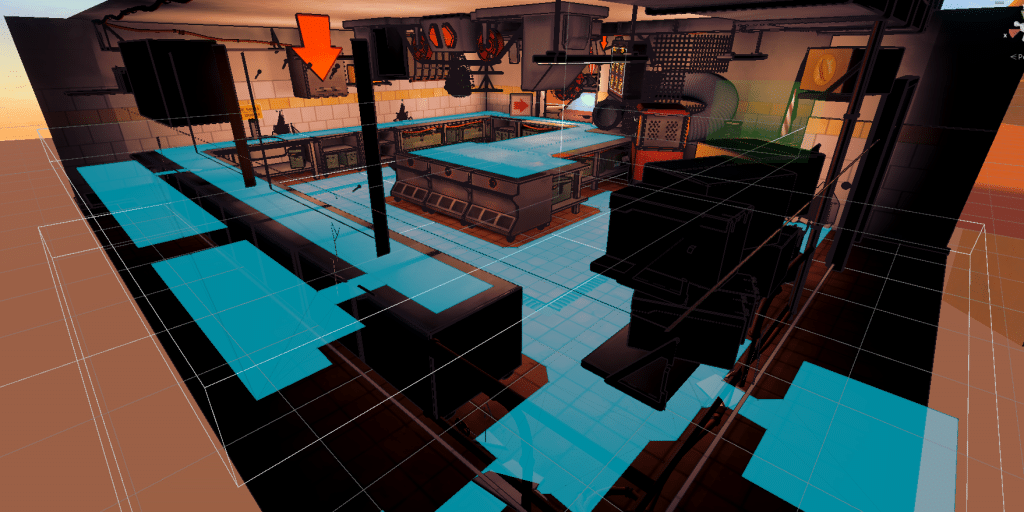
They use the Unity NavMesh System, separately for the floor and the tables. With increasing levels, the chance of having a rat spawned increase. The probability is controlled by the ShiftSystem. Default behavior is that the rats just spawn and walk randomly from target to target, which are scattered around the kitchen.
Rats search for ingredients, if they target one, there is a chance that their next target will be the ingredient. They will try to eat it. If they bite, the ingredient is flagged as bitten, causing a penalty in the RatingSystem in case the ingredient gets still delivered. An ingredient can also be eaten completely, it will then disappear. If a targeted ingredient moves away while being targeted, the rat recalculates its path.
There is a maximum number of rats for each floor and the tables.
Gameplay:
Player Character Controller (First Person)
The Player Controller enables the player to walk, run, crouch, and duck. The player can also „breathe“ with camera bobbing and shoot various types of weapons. Additionally, the player can ricochet bullets off surfaces (though it won’t result in death).
With ChefsEye, the player can slow down time. We wanted to enhance the player’s abilities when using ChefsEye to make it a more integral part of the gameplay. Now, ChefsEye provides the player with a slight advantage. While the environment slows down, the player’s movement is less affected, allowing them to more easily orbit flying ingredients than at normal speed. This is achieved by multiplying the unscaled delta time with a portion of the time-scale delta, which is adjusted to the normal scale.
Moreover, when the player shoots flying objects, their velocity is immediately overridden to travel in the hit direction. In normal mode, the hit direction only alters the current velocity.
Burger Assembly Boxes
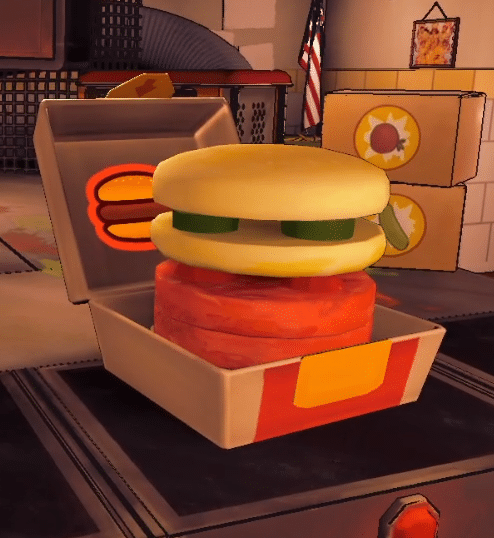
The burger box (which inherits from “InteractableDynamic”) presented a significant challenge. It needed to support adding any object that implements the “IAssemblable” interface. Additionally, the box should be able to shoot assembled objects off, close and reopen, and even burn—regardless of whether there were ingredients inside.
When an ingredient is added, the stacking point should increase based on the size of the individual object. However, when sliceable ingredients (like tomato and cucumber) were introduced, this system needed refinement. We didn’t want individual slices to stack on top of each other in the middle of an assembled burger. Therefore, I implemented exceptions for when the stacking point should rise or lower.
The solution was to allow up to four slices of ingredients on a horizontal plane before raising the stacking point again. However, if ingredients like a bun or patty followed after two slices, the stacking point would rise immediately. For lowering the stacking point, the system checks if a whole horizontal plane of slices was shot out, ensuring the lower ingredients are also examined based on their type.
Lastly, when the burger box catches fire, all the ingredients inside are immediately ejected. This creates a humorous visual effect that’s definitely worth trying!
Sliceable Ingredients
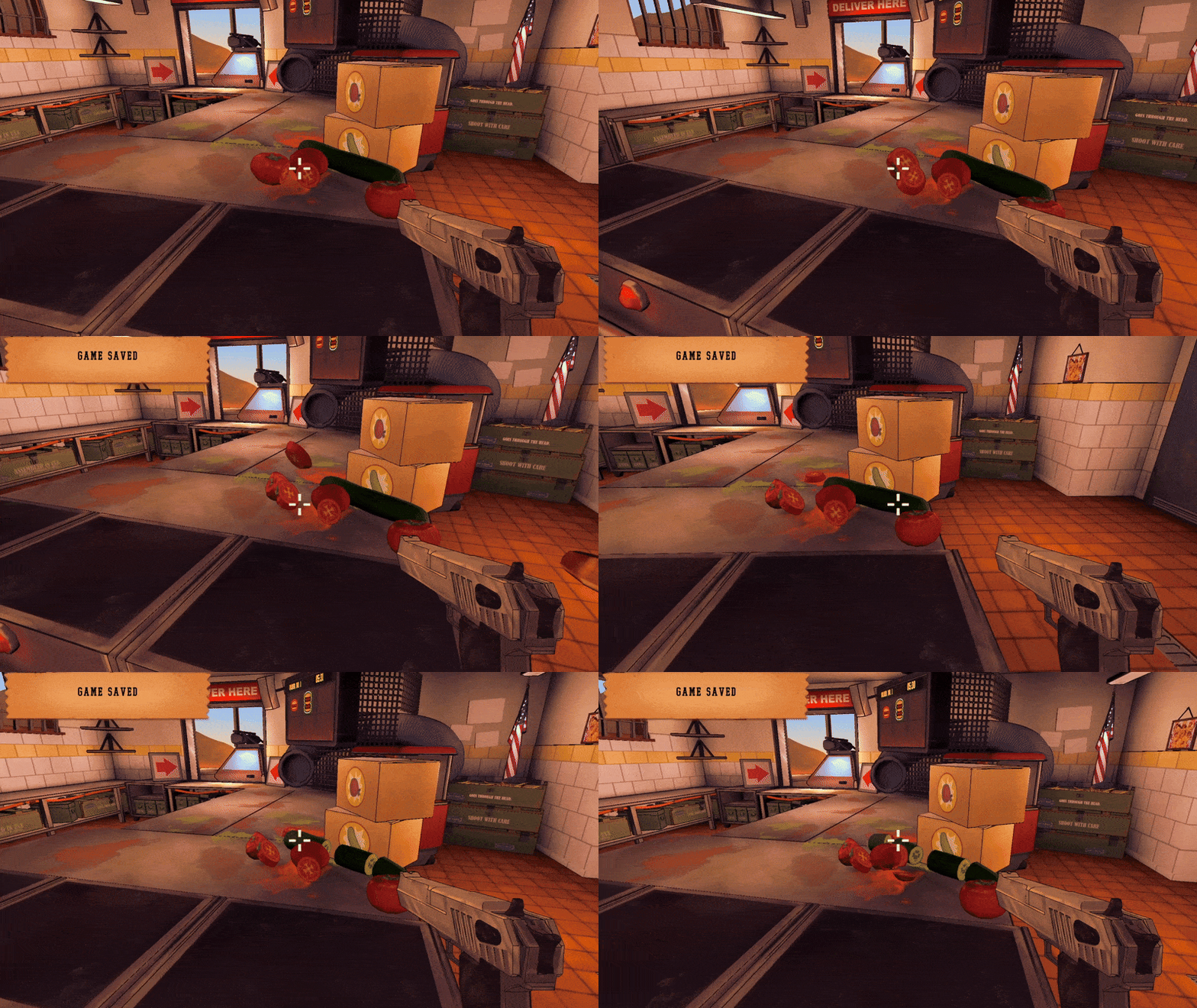
Sliceable Ingredients were imported as already pre-cut meshes. The tricky parts were
seperating the sub-meshes at the right positions
making single slices behave different (knockback response, improved rating…)
transfering information from main object to sliced objects (heating stage…)
stacking slices AND/OR unsliced sliceable ingredients into the assembly box
Interactable Materials
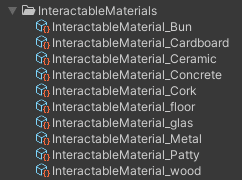
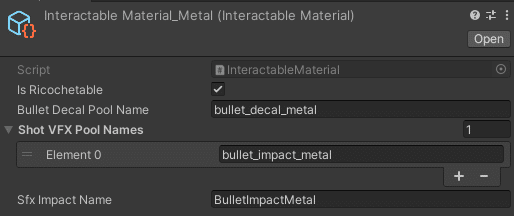
Every Interactable (shootable) object in the game has an „Interactable Material“ scriptable object. They define the following:
If object is richochetable
Decal to spawn
Impact VFX to spawn
Impact SFX to play
This simple setup makes the whole environment way more interactive.
List of things I didn’t work on:
I only showed some of my more interesting work on the project. Besides the not mentioned parts, some parts of great programming were also done by other team members. These are:
Everything with the conveyer belt
Everything with the main menu (except settings and level selection)
Everything with Steam & AchievementsSystem
Everything with pooling (except “BulletPool.cs”)
VFX-System
Decals-System
Subtitle-System
Tooltip-System
Tutorial
Ingredient spawn boxes