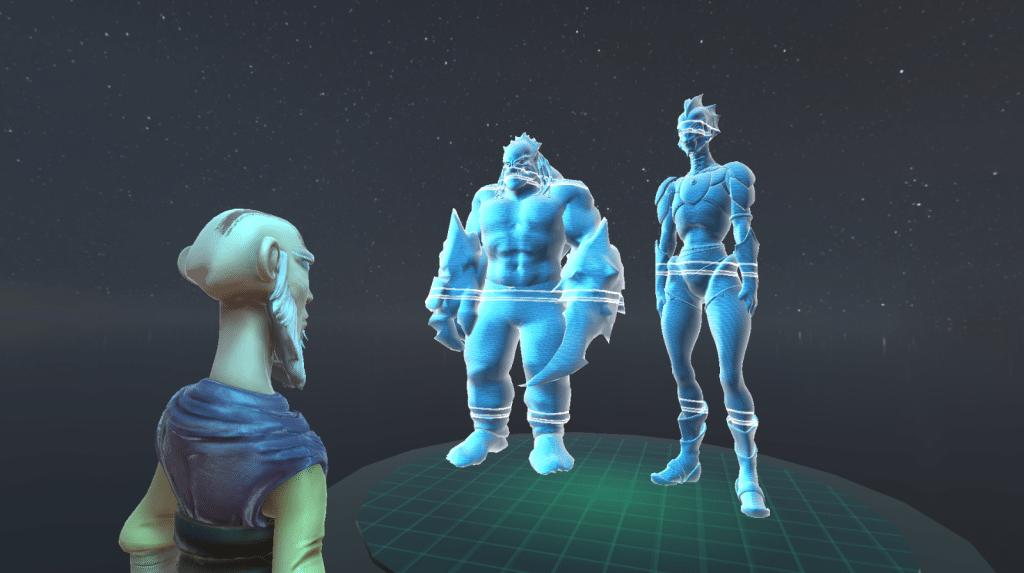
Hologram Shader
Find the shader & hologram-controller script on my GitHub
Used external assets:
• Skybox: https://hdri-haven.com/hdri/starry-night-sky-dome
• Characters & Animations: https://www.mixamo.com
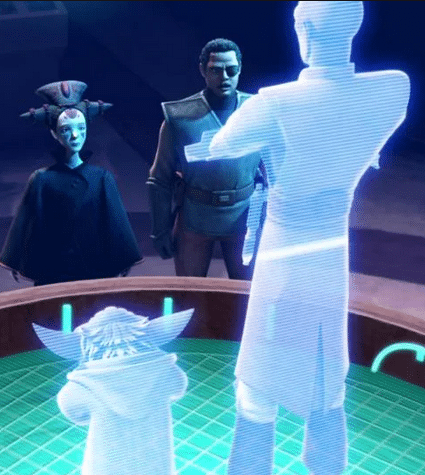
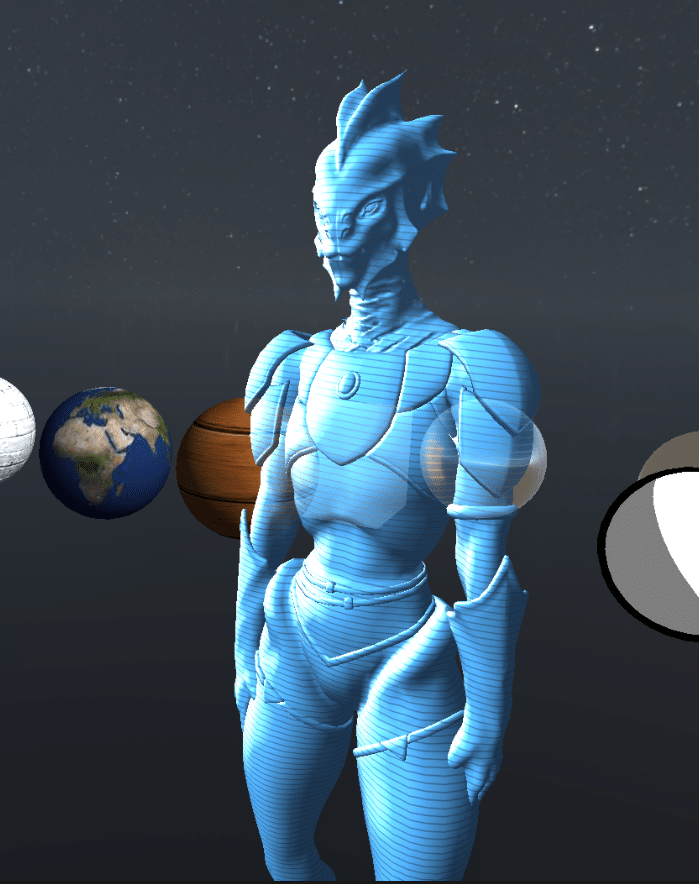
In the „Shader Elective“ submission I tried to recreate the „Star Wars: The Clone Wars“ hologram shader as close as possible. It uses several passes and Unity-script-controlable vertex displacement, which simulates signal interferences.
Overview:
3rd semester (10.2023 – 02.2024)
„Shader Elective“ submission
Languages: HLSL and C#
Engine: Unity
Important Learnings:
Shader programming basics
Render pipeline
Vertex Shader
Fragment Shader
Unity Shader Lab framework
Unity Built-In Render Pipeline
Performance differences between written shaders and Unity ShaderGraph
Working steps
Analyzing source image
Transparent
Not blending itself
Lit
Emissive
Fresnel effect
Animated riffle effects
Animated signal interference effect
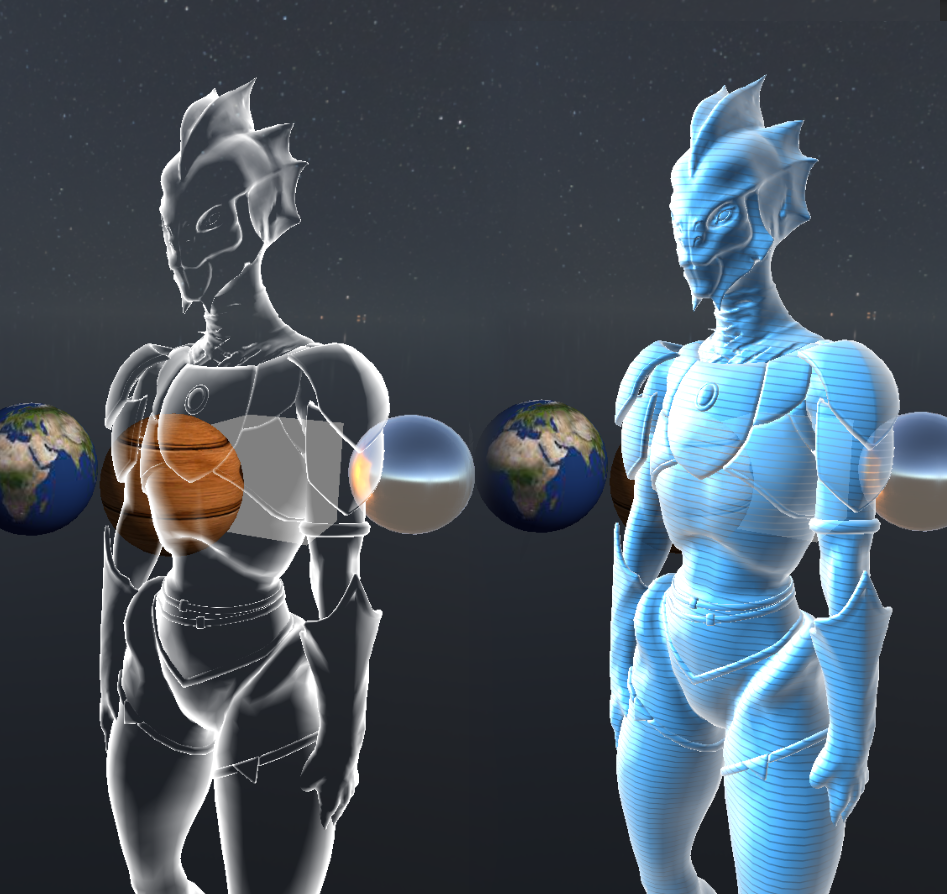
First, I tried to get the “riffles” effect working.
I wanted to accomplish this by setting the alpha values through a repeating black and white riffled texture.
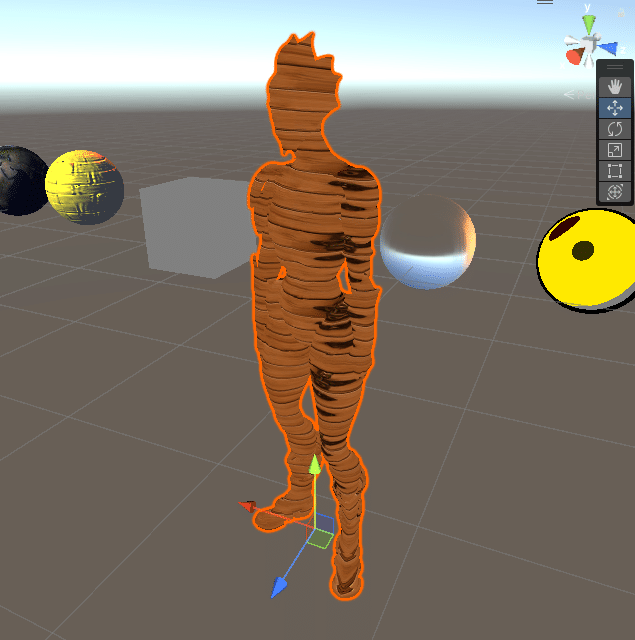
In this picture I projected a repeating texture onto the object using vertex positions for texture mapping. The Y-Axis is tiled up by some amount and repeats itself.
These “riffles” should have the blue color from the source-image.
I made a new transparent pass, turned the texture transparent as well and mixed both the texture and the color.
I exchanged the texture through a simple black and white texture set to repeating. I also adjusted the color again a little bit.
Now the riffled textures values are used to control the alpha of the color in the fragment shader. Through texture y-offset the riffles can be scrolled now in C#-Script.
This step made me realize something very interesting…
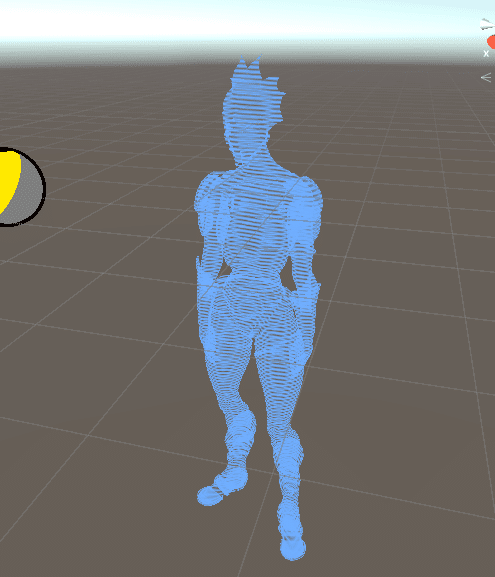
As you can see in the picture, the transparent blending causes the viewer to see through the object.
For example at the right shoulder, you can see that the rear camera-facing triangles are also visible and stack up with the front triangles.
This was to be expected, however the source-image avoids this.
So my next goal was to have the object blend with other objects behind it, but not with itself.
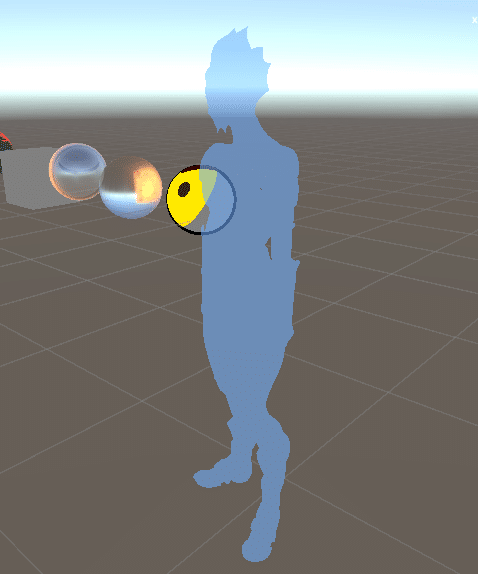
An additional pass is used at the very beginning, containing only one line of code which disables color writes to the R, G, B, and A channels:
ColorMask 0
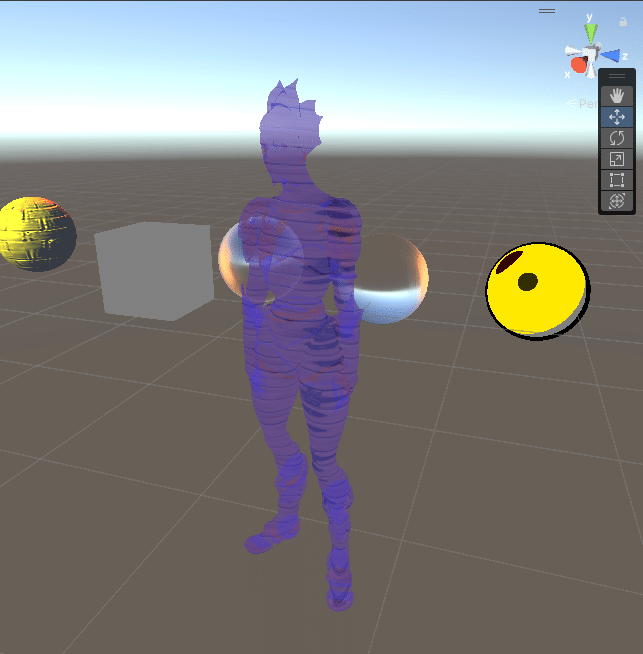
This pass gave me silhouette in the image to the right.
Together with the riffled alpha pass (currently disabled) I achieved the wanted result.
Now I simply added diffuse and reflection lighting to the object like we learned in the elective.
Next step is emission. I found out that emissive objects of the Unity Standard Shader emit “real” light which influences other objects. That would’ve been too time intensive for me, so I simply faked it by just multiplying the rgb color-channels with an intensity factor. Also the skybox got added.
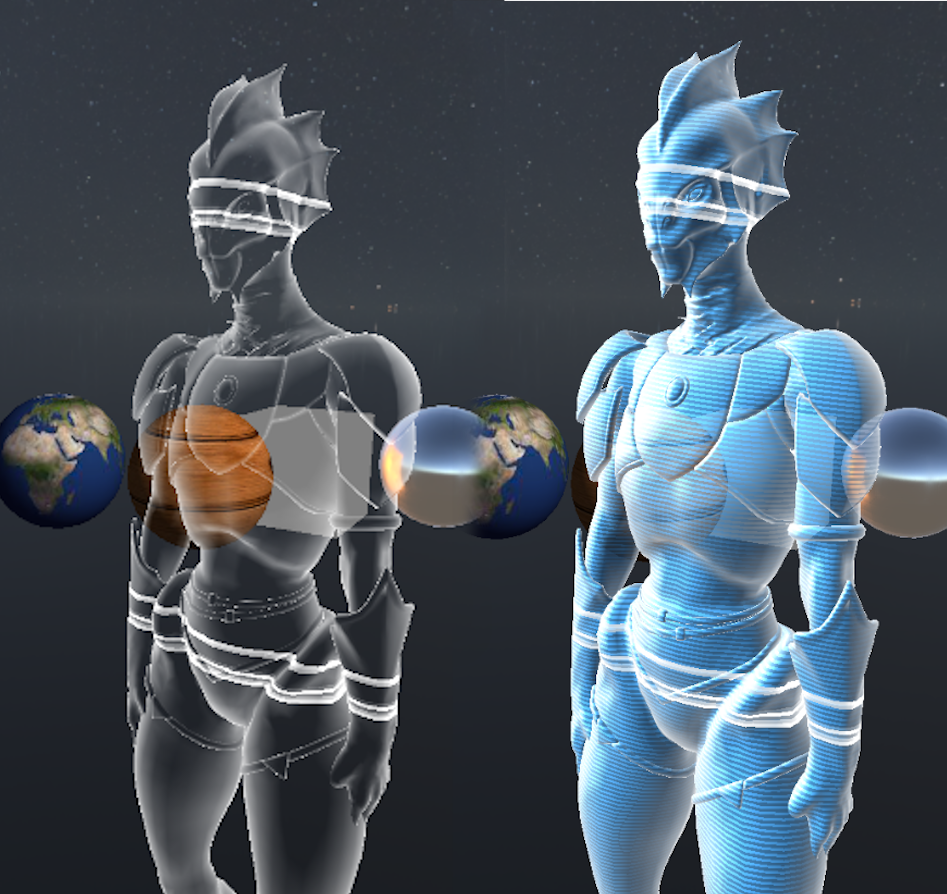
Now comes the Fresnel-effect. I was pretty sure when I analyzed the source-image, that they also used this effect. Now that I look at it again, it might also be just a three-point lighting…
Nevertheless I added a Fresnel-effect, by using a similar technique used in the elective (using absolute dot-product-value of view-vector and object normal to influence fragment alpha value). It got a separate pass which is layered on top of the others.
Another kind of repeated riffles has been added, which is more dominant and overrides every pixel (sets every pixel to full white) if it has a value at a given fragment.
I added it to the Fresnel-pass. These riffles also can be scrolled on the y-axis through y-offset.
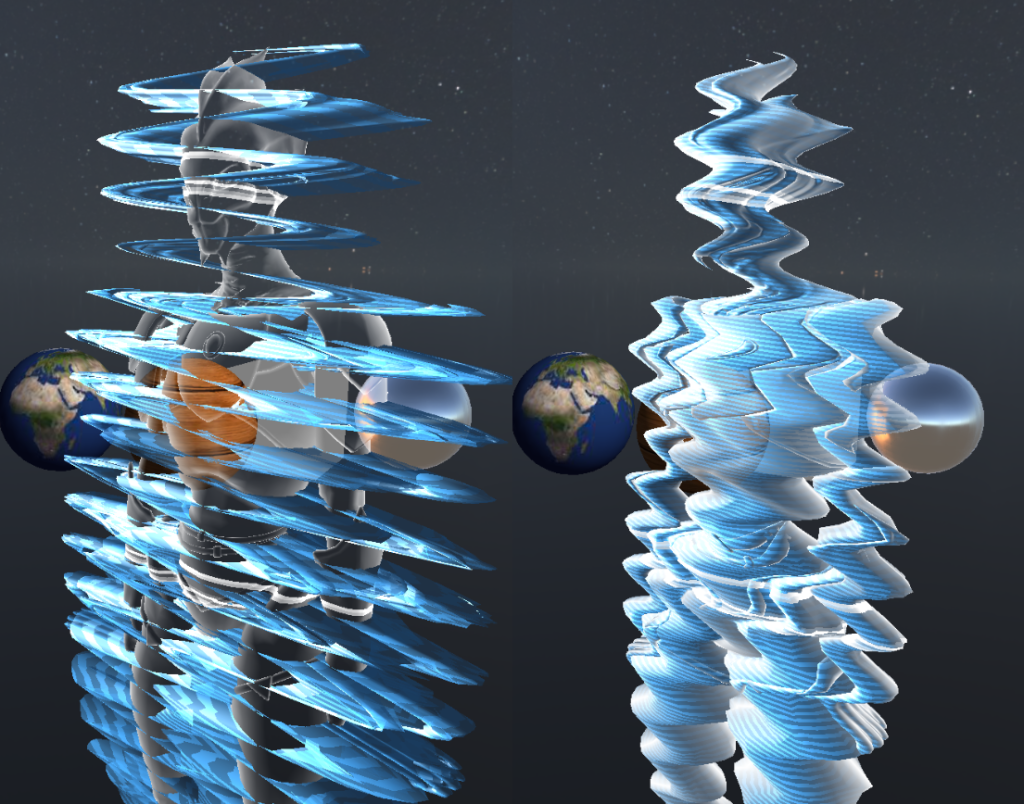
My favorite part of the work and last step was adding signal interference. This is done by vertex displacement.
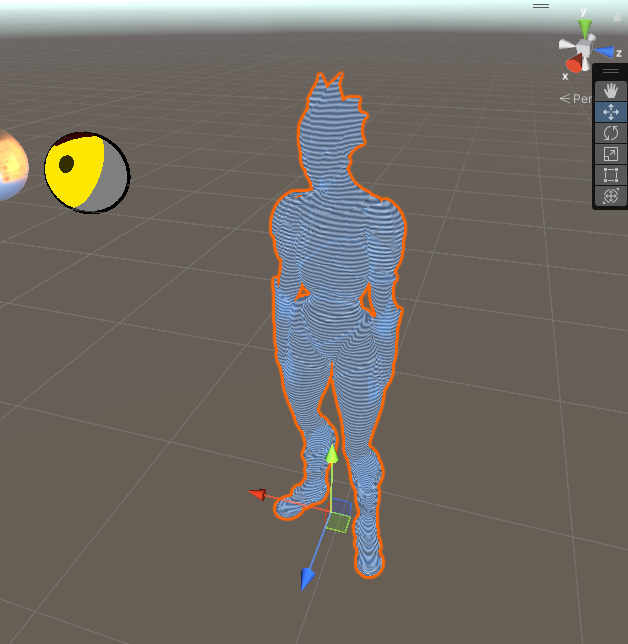
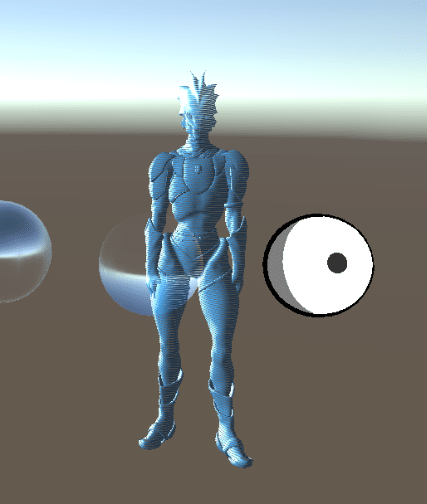
The left picture shows the vertex displacement for a single pass.
The right picture shows the vertex displacement for every pass.
It is simply a sinus-driven x-displacement dependent on the object space y-coordinate, additionally multiplied by a frequency- and amplitude-value (both values are driven by the following C#-script).
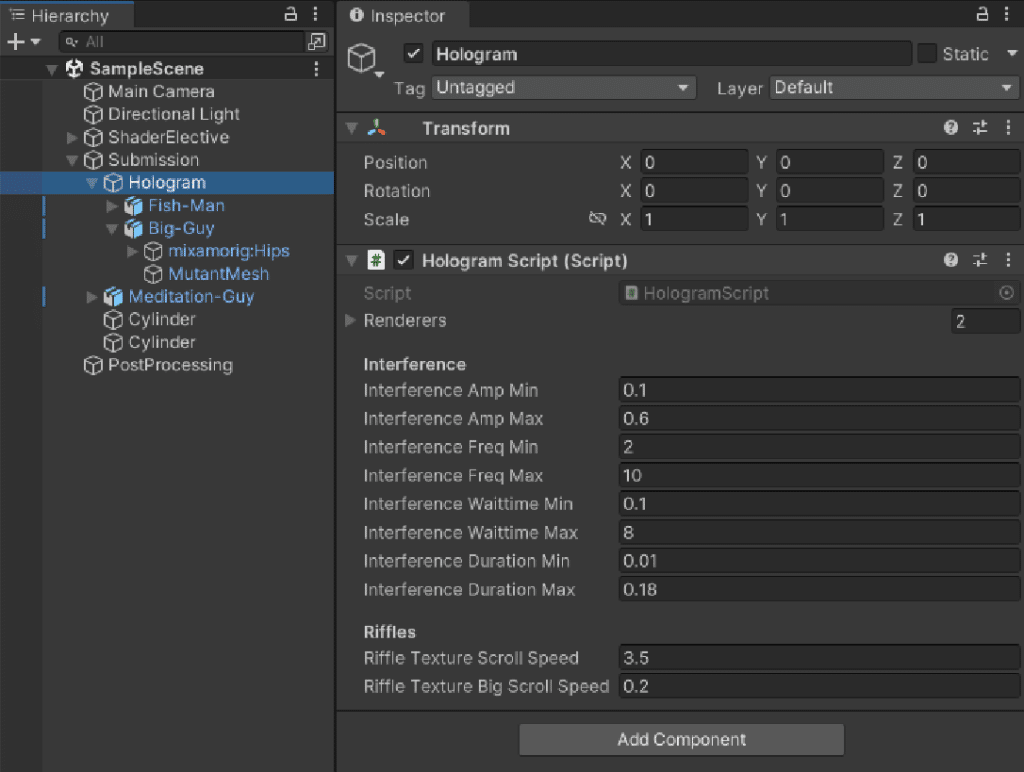
Unity inspector controllability:
The Hologram script controls simulated interferences and riffle scroll speed.
All settings can be set freely but could lead to weird results when not used properly.
“Interference” values control how the interference works. All values are randomized between the set min/max values.
“Amp” is the strength/amplitude
“Freq” is the number of distorted waves
“Waittime” is the time until the next interference happens
“Duration” sets the duration of the interference
“Riffles” values control the speed of the stripes texture scroll speed
Inspiration source vs. endresult